FINESTRA Release Updates
Keep Your POS System Up To Date
FINESTRA V2025.1.42
MAY 2025

Release Highlights
- Set Default Demographic
- Use this feature to select a default demographic option, which you may choose to rename to something more generic (ie: General Customer)
- Cash Register will not prompt for demographic. If a different customer option is needed, press Back, then make your selection
- Disable Merchant Copy
- Use this new feature if you prefer not to print Merchant Copy for integrated debit/credit payment transactions
- Favorites
- Create your own customized tabs to organize easy access to non-barcoded items (newspapers, local artisan products etc.)
- Assign items to each tab, assign an image to each item
- At the till, quickly access items – eliminating the need to keep a quick access sheet of barcodes at the till

Takes 15 - 30 minutes

Get the Software Fixes Now

Start Using the New Developed Features
How to install
Please note that this process can take up to 30 minutes to complete. We recommend running the update outside of store hours.
The FINESTRA Version Release must be completed on your Server, Host Till or Host Workstation. If no one at your store has access to your server due to your Store Policy, please email support@portal.positec.com and advise them your store does not have access.
-
1. Exit FINESTRA on all computers
To update your FINESTRA, you MUST exit FINESTRA on all Cash Registers and Workstations.
-
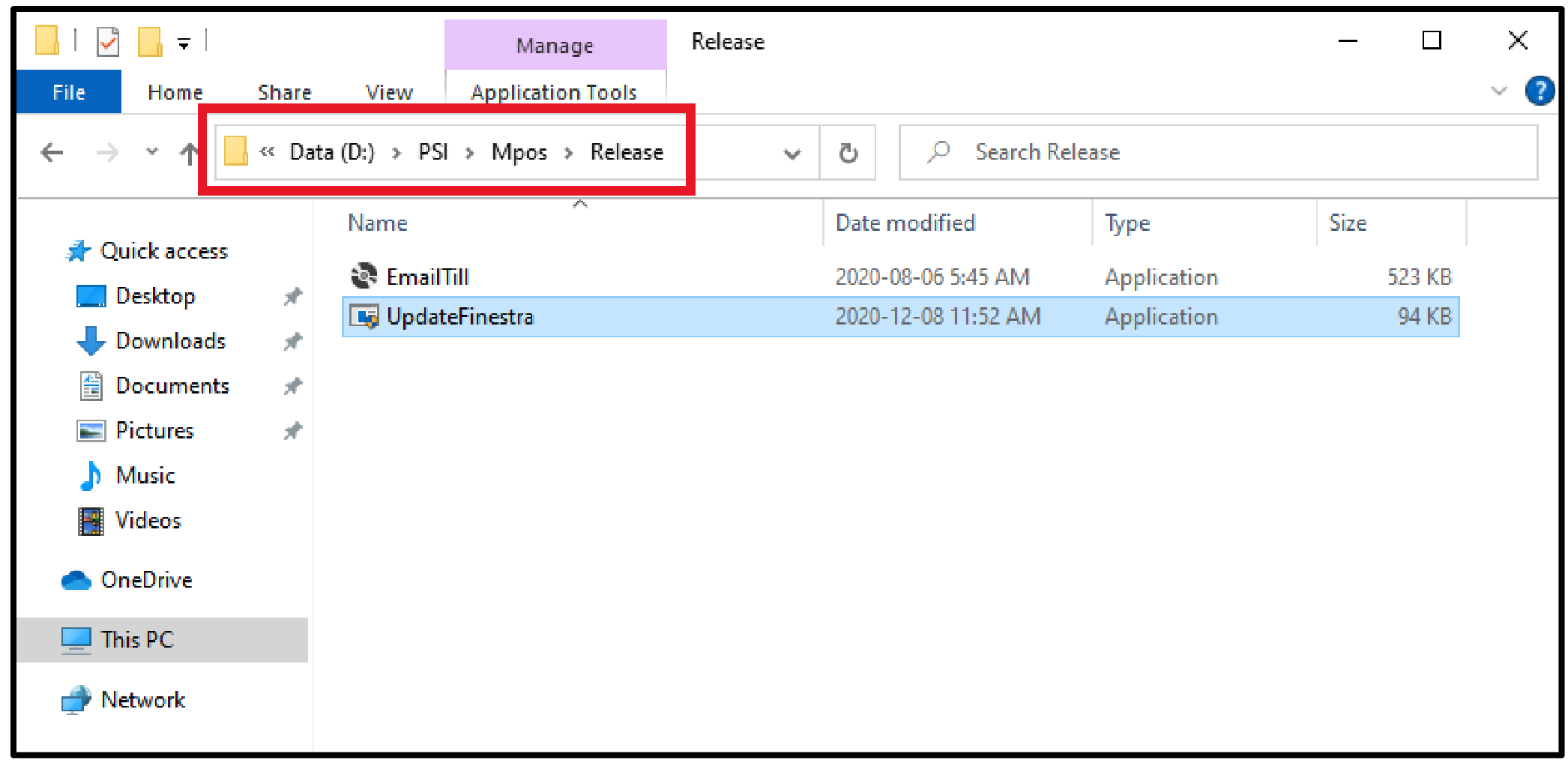
2. Open File Explorer
1. On your Host Computer, [Double-click] the This PC or Computer icon or [Left-click] the Folder icon in the Task Bar
2. Browse to D:\PSI\Mpos\Releases or Browse to R:\Mpos\Releases
-
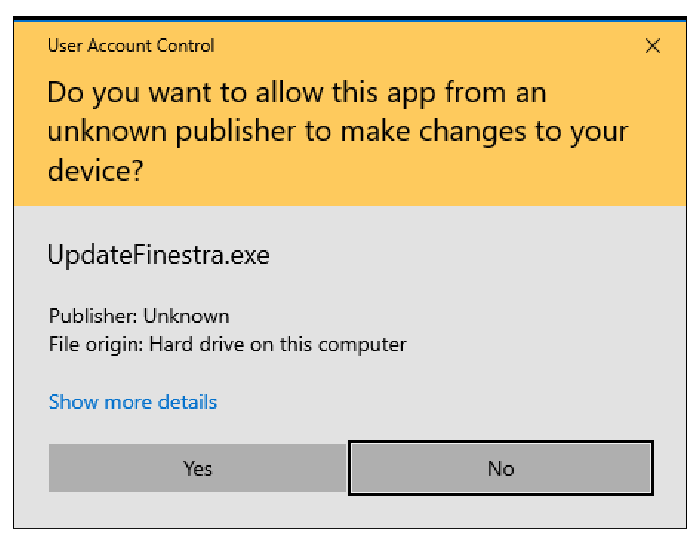
3. [Double-click] the UpdateFinestra program, then at the “User Account Control” prompt, select [Yes]
-
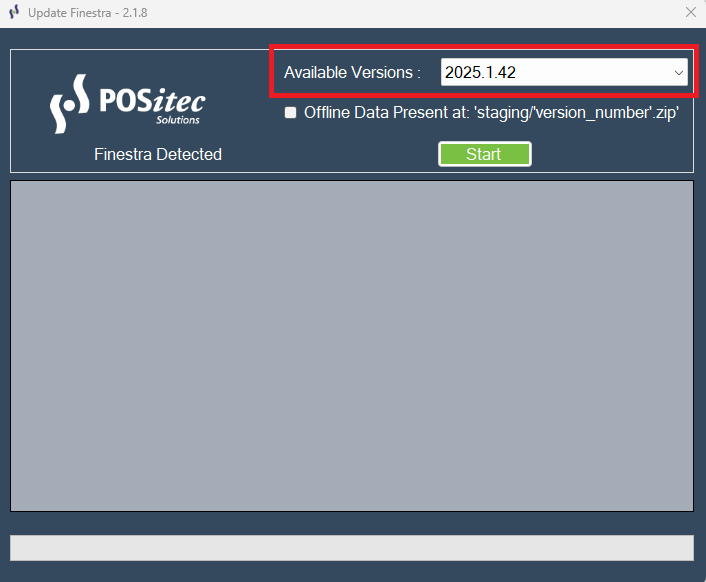
4. Confirm the Available Versions field is set to 2025.1.42 (or higher) then select [Start]
-
5. The Release Version will confirm when it’s complete.